




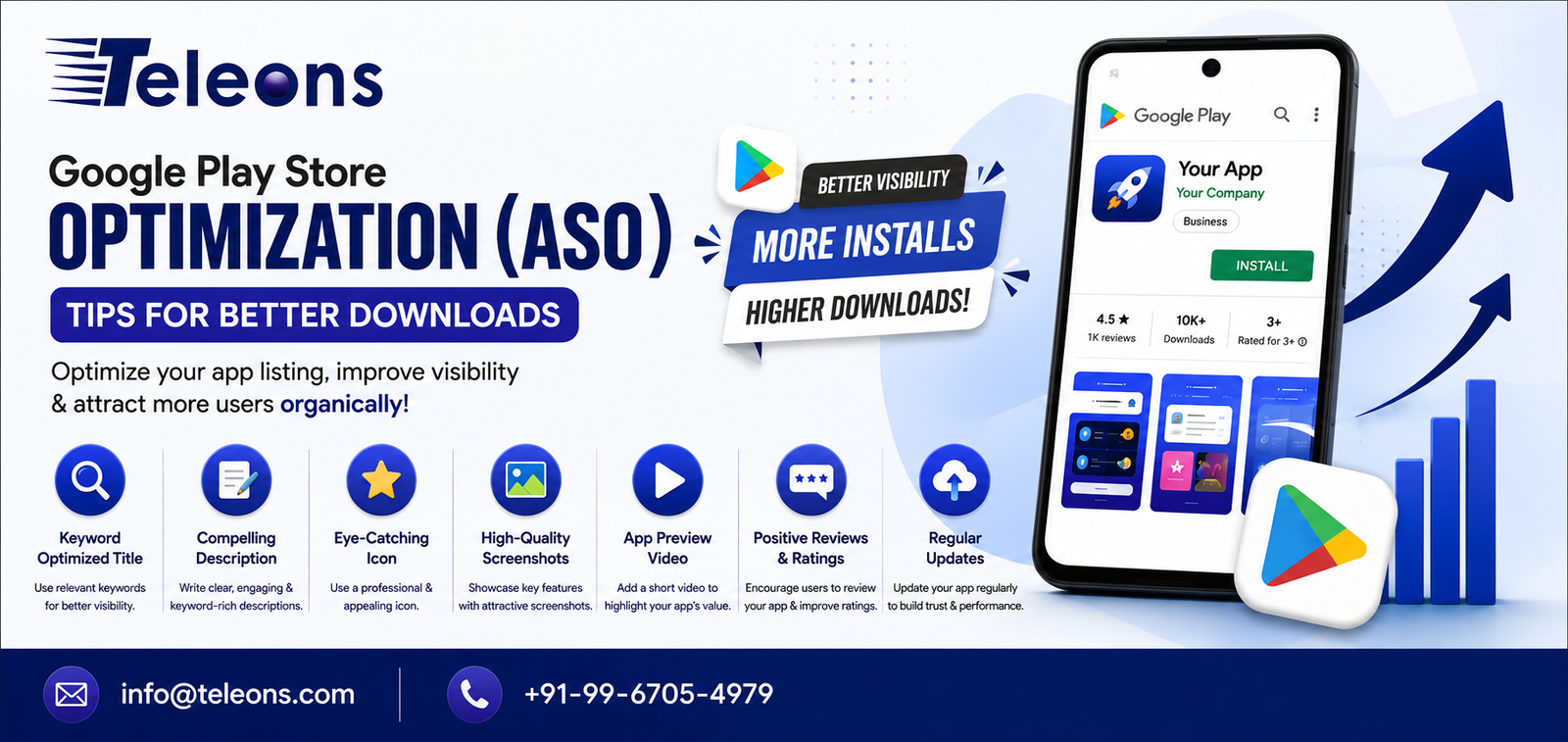
Launching an Android app on the Google Play Store is only the beginning of your app’s journey. With millions of apps competing for users’ attention, simply publishing an app isn’t enough. To attract more users and increase organic downloads, your app needs to be easy to find in search results and appealing enough to encourage installs. This is where App Store Optimization (ASO) comes into play.
ASO is the process of optimizing your app’s Google Play Store listing to improve its visibility, attract the right audience, and increase download rates. Similar to Search Engine Optimization (SEO) for websites, ASO helps your app rank higher for relevant search terms within the Play Store.
At Teleons, we build high-performance Android applications and help businesses optimize their app listings to maximize visibility and downloads.
What Is Google Play Store Optimization (ASO)?
Google Play Store Optimization is the practice of improving various elements of your app listing so that it ranks better in Play Store searches and attracts more users.
ASO focuses on optimizing:
App title
Short description
Full description
Keywords
App icon
Screenshots
Promotional graphics
Preview videos
User ratings and reviews
App performance
A well-optimized listing increases both visibility and conversion rates, helping more users discover and install your app.
Why ASO Is Important
Even the best Android app can struggle if users can’t find it. ASO helps your app compete effectively by improving discoverability and encouraging installs.
Benefits of ASO include:
Higher app rankings
More organic downloads
Better user engagement
Lower customer acquisition costs
Increased brand visibility
Higher conversion rates
Improved credibility through ratings and reviews
Best Google Play Store Optimization Tips
Choose a Clear and Keyword-Rich App Title
Your app title is one of the strongest ranking factors in the Google Play Store. Include your primary keyword naturally while keeping the title concise and easy to remember.
For example, instead of using only a brand name, combine it with your app’s purpose where appropriate.
Write an Engaging Short Description
The short description is one of the first things users see. Clearly explain your app’s value and encourage users to learn more.
Focus on:
Main benefit
Target audience
Unique selling point
Action-oriented language
Optimize the Full Description
The full description should provide detailed information about your app’s features, benefits, and functionality.
Include relevant keywords naturally while maintaining readability.
Explain:
What the app does
Key features
Benefits
Problem it solves
Reasons to choose your app
Avoid keyword stuffing, as it can reduce readability and negatively affect user experience.
Design an Eye-Catching App Icon
Your app icon creates the first impression.
A professional icon should be:
Simple
Recognizable
High quality
Consistent with your brand
Easy to identify among competitors
A visually appealing icon can significantly improve click-through and installation rates.
Use High-Quality Screenshots
Screenshots demonstrate how your app works and highlight its most valuable features.
Showcase:
User interface
Important functions
Key benefits
Unique features
Add short captions to help users quickly understand each screen.
Include an App Preview Video
A short promotional video gives users a better understanding of your app before downloading it.
Videos can:
Increase user confidence
Improve conversion rates
Demonstrate app functionality
Highlight user experience
Keep the video concise and focused on your app’s core value.
Encourage Positive Ratings and Reviews
User reviews play a major role in app rankings and download decisions.
Encourage satisfied users to leave honest feedback after they’ve had a positive experience with your app.
Respond professionally to reviews, including negative ones, to show users that you value their feedback.
Improve App Performance
Google favors apps that deliver a smooth user experience.
Optimize your app by:
Reducing crashes
Fixing bugs
Improving loading speed
Minimizing battery consumption
Ensuring compatibility across Android devices
Better performance leads to higher ratings and stronger user retention.
Update Your App Regularly
Regular updates signal that your app is actively maintained.
Updates may include:
New features
Security improvements
Bug fixes
Performance enhancements
UI improvements
Frequent updates also encourage users to remain engaged with your app.
Monitor ASO Performance
ASO is an ongoing process.
Track metrics such as:
Organic downloads
Keyword rankings
Conversion rate
Retention rate
Ratings
Reviews
User engagement
Analyzing performance helps you refine your optimization strategy over time.
Common ASO Mistakes to Avoid
Many developers limit their app’s growth by making avoidable mistakes.
Common issues include:
Using irrelevant keywords
Keyword stuffing
Poor-quality screenshots
Unattractive app icons
Ignoring user reviews
Infrequent updates
Misleading descriptions
Slow app performance
High crash rates
Weak onboarding experience
Avoiding these mistakes improves both user satisfaction and long-term app performance.
How Teleons Can Help?
At Teleons, we offer end-to-end Android app development solutions, from concept and design to deployment and optimization.
Our services include:
Custom Android App Development
UI/UX Design
Google Play Store Optimization (ASO)
App Performance Optimization
App Maintenance and Updates
API Integration
Security Enhancements
Quality Testing
Play Store Publishing Support
We help businesses build Android applications that are optimized for visibility, performance, and long-term success.
Conclusion
Google Play Store Optimization is a vital part of any Android app’s success. By optimizing your app title, descriptions, visuals, reviews, and overall performance, you can improve search visibility, attract more users, and increase organic downloads.
ASO isn’t a one-time task—it’s an ongoing strategy that requires regular updates, monitoring, and optimization. When combined with a high-quality app and excellent user experience, ASO can significantly improve your app’s growth and market reach.
If you’re planning to launch a new Android app or improve the performance of an existing one, investing in ASO is one of the smartest ways to achieve sustainable growth.
Boost Your Android App’s Visibility with Teleons
Creating a great app is only half the journey—getting it discovered is equally important. Teleons provides comprehensive Android app development and Google Play Store Optimization (ASO) services to help your app achieve higher rankings, attract quality users, and increase organic downloads.
Whether you’re launching a new app or looking to improve an existing one, our team can help you optimize every aspect of your Play Store presence for long-term success.
Ready to grow your Android app? Contact Teleons today for expert Android App Development and ASO solutions that deliver measurable results.
Company Name: Teleons
📞: +91-99-6705-4979
Email: info@teleons.com
Website: https://teleons.com/
Frequently Asked Questions (FAQs)
1. What is App Store Optimization (ASO)?
ASO is the process of optimizing your app’s Google Play Store listing to improve visibility, attract more users, and increase organic downloads.
2. Is ASO similar to SEO?
Yes. ASO is similar to SEO, but it focuses on improving an app’s ranking and discoverability within app stores rather than search engines.
3. What factors affect Google Play Store rankings?
Important factors include the app title, descriptions, keyword relevance, user ratings, reviews, download volume, retention, app performance, and regular updates.
4. How often should I update my app listing?
Review and update your app listing regularly, especially after releasing new features, improving functionality, or identifying better keyword opportunities.
5. Can ASO increase app downloads without paid advertising?
Yes. A well-optimized app listing can significantly improve organic visibility and drive more downloads without relying solely on paid campaigns.
6. Why are ratings and reviews important for ASO?
Positive ratings and genuine user reviews build trust, improve your app’s credibility, and contribute to better visibility in Google Play Store search results.
%20Tips%20for%20Better%20Downloads)

Related Posts
App Store Optimization: How to Get More App Downloads
Building a mobile app is only the first step. The next challenge is getting people to discover, download and use it. With thousands of apps…
Read More
How Mobile Apps Help Businesses Improve Customer Engagement
Introduction Customer engagement has become a critical factor in building a successful business. Customers today expect brands to be accessible, responsive, personalized, and convenient across…
Read More