




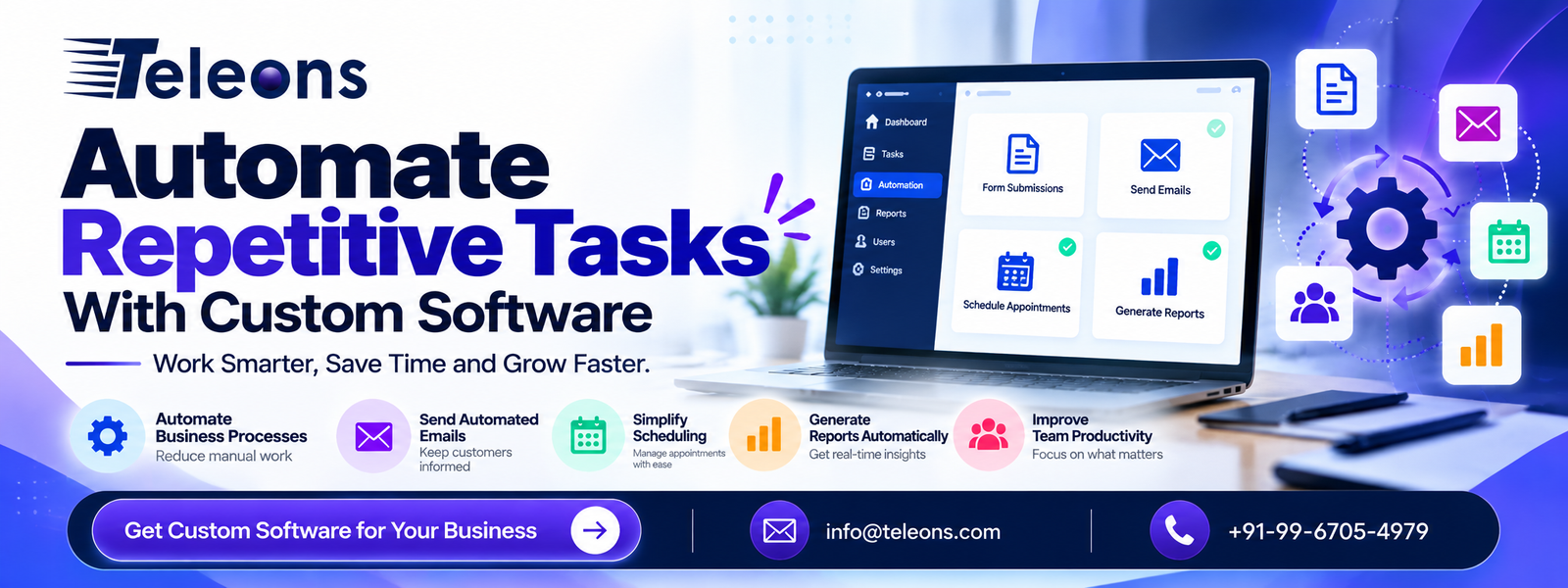
Introduction
Every business has routine tasks that need to be completed daily, from managing customer enquiries and sending emails to updating records, scheduling appointments, and generating reports. Although these activities are essential, performing them manually can consume valuable time, increase the chances of errors, and slow down business operations.
As businesses grow, managing these repetitive processes becomes more challenging. Teams may find themselves spending more time on administrative work than on customer relationships, strategic planning, and business development.
This is where custom software development can make a meaningful difference. By building software around your specific business requirements, you can automate routine workflows, connect different systems, and simplify everyday operations.
At Teleons, we help businesses explore software solutions that address their operational challenges. In this blog, we explain how custom software can automate repetitive tasks, improve productivity, and support long-term business growth.
What Is Custom Software Automation?
Custom software automation involves developing software that performs specific business tasks automatically based on predefined rules, events, or workflows.
Unlike generic software designed for a broad audience, custom software can be developed around your company’s processes, users, and existing systems.
For example, when a customer submits an enquiry through your website, a custom software solution can automatically:
Store the enquiry in a centralized database.
Send an acknowledgement email to the customer.
Notify the relevant sales representative.
Assign the enquiry to a team member.
Create a follow-up task.
Update the enquiry status on an internal dashboard.
These steps can be completed through a connected workflow instead of requiring employees to handle every action individually.
Why Should Businesses Automate Repetitive Tasks?
Manual processes can become inefficient when businesses handle large volumes of information or repeat the same activities throughout the day.
Custom software automation helps organizations streamline these processes and make better use of their resources.
Key benefits of automation
Save valuable time: Reduce the hours spent on repetitive data entry, notifications, and administrative activities.
Minimize human errors: Standardized workflows help reduce mistakes caused by copying information, forgetting steps, or entering inconsistent data.
Improve productivity: Employees can focus on higher-value responsibilities rather than routine tasks.
Maintain consistent workflows: Automated processes follow predefined rules, helping teams handle similar tasks more consistently.
Improve customer communication: Automated confirmations, reminders, and notifications help businesses respond promptly.
Support business scalability: Well-designed software can accommodate growing workloads without requiring every additional task to be handled manually.
Automation works best when processes are clearly defined and the system includes appropriate validation, monitoring, and human oversight.
Business Tasks You Can Automate With Custom Software
Custom software can automate a wide range of activities, depending on your business model and operational requirements.
A. Customer Enquiry and Lead Management
Businesses often receive enquiries through websites, landing pages, email, and other communication channels. Manually organizing these enquiries can make it difficult to track every potential customer.
Custom software can collect enquiry details, create lead records, assign leads to the appropriate team, and trigger notifications or follow-up reminders.
For example, a service-based company can automatically route enquiries according to the selected service, location, or department.
This creates a more organized lead management process and helps sales teams follow up more efficiently.
B. Email Notifications and Follow-Ups
Sending routine emails manually can take considerable time, particularly when businesses communicate with many customers.
Custom software can automate emails based on specific actions or events, including:
Account registration confirmations.
Customer enquiry acknowledgements.
Appointment reminders.
Order status notifications.
Payment confirmations.
Follow-up messages.
Internal task alerts.
These workflows can be configured to send the right information at the appropriate stage of a process.
Businesses should also ensure that automated communications follow applicable privacy, consent, and email marketing requirements.
C. Data Entry and Record Management
When employees enter the same information into multiple applications, the process becomes repetitive and increases the risk of inconsistent records.
Custom software can transfer data between connected systems, validate submitted information, and update records automatically.
For example, information entered through a customer registration form can be stored in a database and synchronized with a CRM system through an appropriate integration.
This reduces duplicate work and helps maintain more consistent business information.
D. Appointment Scheduling and Reminders
Businesses that depend on appointments can use custom software to simplify booking and scheduling.
Depending on the requirements, an automated booking system can:
Display available time slots.
Accept appointment requests.
Send booking confirmations.
Synchronize calendars.
Send reminders before appointments.
Support cancellations and rescheduling.
This is particularly useful for consultants, service providers, educational institutions, and businesses that manage regular customer appointments.
E. Report Generation and Business Analytics
Preparing recurring reports manually can involve collecting data from several sources, organizing spreadsheets, and calculating performance metrics.
Custom software can collect information from connected systems and generate scheduled reports or dashboards.
For example, a business dashboard might display sales activity, incoming enquiries, task completion, and customer support requests in one place.
This helps managers review business activity and make informed decisions using more accessible information.
F. Employee Tasks and Approval Workflows
Internal operations also involve repetitive tasks, including assigning responsibilities, requesting approvals, tracking deadlines, and updating project statuses.
Custom software can automate these activities using predefined rules.
For example, when an employee submits a request, the system can forward it to the appropriate manager, send a notification, record the decision, and update the request status.
Such workflows can improve visibility and reduce unnecessary follow-ups between departments.
Custom Software vs. Off-the-Shelf Automation Tools
Businesses can choose between ready-made automation tools and custom-developed solutions. The right option depends on the complexity of their processes, budget, integrations, and long-term plans.
Factor Off-the-shelf tools Custom software
Setup Often faster for standard workflows Requires planning and development
Customization Limited to supported features Can be tailored to business requirements
Integrations Depends on available connectors Can support specialized integrations
Initial investment Often lower Usually higher
Maintenance Depends on the provider and plan Requires an agreed maintenance approach
Best suited for Common, standardized tasks Specialized or interconnected workflows
For simple tasks, an existing automation platform may be sufficient. For complex business operations, custom software can provide greater flexibility and control.
A practical approach is to assess your requirements before deciding whether to use a ready-made tool, custom development, or a combination of both.
How to Implement Custom Software Automation
Successful automation starts with understanding the problem rather than immediately building software.
Step 1: Identify repetitive tasks
List the activities your team performs frequently. Look for processes that consume significant time, involve repeated data entry, or require frequent reminders.
Step 2: Map the existing workflow
Document how each process currently works, including the people involved, information required, approvals, and exceptions.
Step 3: Prioritize automation opportunities
Start with tasks that are repetitive, clearly defined, and relatively easy to automate. Consider both the expected time savings and the importance of the process.
Step 4: Choose the right technology
Depending on your requirements, the solution might include a web application, mobile application, database, API integration, CRM connection, or internal dashboard.
Step 5: Develop and test the software
Test normal workflows, invalid data, system failures, duplicate submissions, and permission controls before deploying the solution.
Step 6: Train employees
Help employees understand how the new system works, when human intervention is required, and how to report problems.
Step 7: Monitor and improve
Measure performance using indicators such as processing time, error rates, workflow completion, and employee feedback. Use these insights to improve the system over time.
Why Custom Software Development Matters
Every business has different processes, customer expectations, and operational challenges. A generic application may cover basic requirements but may not support every specialized workflow.
Custom software development allows businesses to build solutions around their actual needs.
With a tailored solution, businesses can:
Develop dashboards suited to different user roles.
Integrate existing business applications.
Automate industry-specific processes.
Create customized reporting systems.
Manage permissions and approval rules.
Extend functionality as business requirements evolve.
The goal is not to automate everything. It is to identify the processes where automation provides meaningful value and implement them in a reliable, maintainable way.
Security and Reliability in Software Automation
Automation systems may process customer information, business records, financial data, and internal communications. Security must therefore be considered throughout development.
Businesses should follow these practices:
Apply role-based access controls.
Protect sensitive information and API credentials.
Use secure communication protocols.
Validate inputs before processing data.
Maintain appropriate logs and audit trails.
Configure alerts for failed workflows.
Test backup and recovery procedures.
Review integrations and software dependencies regularly.
Critical workflows should also include error handling and a suitable manual fallback process. This helps ensure that a temporary technical problem does not unnecessarily interrupt business operations.
How Teleons Can Help With Custom Software Development
At Teleons, we understand that repetitive processes can limit productivity and make business operations more complicated than necessary.
Our software development approach focuses on understanding your business requirements and identifying opportunities to simplify workflows through tailored digital solutions.
Whether you need a web application, a mobile application, a business dashboard, or integrations between existing systems, the right solution should address a clearly defined operational need.
We can help you explore custom software development options that support:
Workflow automation and task management.
Customer enquiry and record management.
Business application integrations.
Automated notifications and reporting.
Web and mobile application development.
Scalable digital business solutions.
By combining the right technology with a clear understanding of your workflow, businesses can reduce repetitive effort and create more efficient processes.
Conclusion
Repetitive tasks are a normal part of business operations, but they do not always need to be completed manually. Custom software automation can simplify everyday workflows, improve data consistency, reduce administrative effort, and help employees concentrate on more valuable activities.
From lead management and automated emails to reporting and internal approvals, the right software can make complex processes easier to manage.
Start by identifying your most time-consuming tasks, evaluate the available automation options, and choose a solution that fits your business requirements.
Ready to work smarter with custom software? Contact Teleons to discuss how tailored software solutions can help automate repetitive tasks and improve your business operations.
Automate Your Business With Teleons
Spend Less Time on Routine Work. Focus on Growth.
Let custom software simplify your workflows, reduce repetitive effort, and help your team work more efficiently.
Partner with Teleons to explore software solutions built around your business needs.
info@teleons.com
+91 99 6705 4979
Frequently Asked Questions (FAQs)
1. What is custom software automation?
Custom software automation uses purpose-built software to perform repetitive business activities according to predefined rules, events, or workflows. Examples include lead assignment, email notifications, record updates, and report generation.
2. Which business tasks can be automated with custom software?
Businesses can automate enquiry management, data entry, email notifications, appointment scheduling, task assignments, approval workflows, report generation, and information exchange between connected applications.
3. What are the benefits of automating repetitive tasks?
Automation can reduce manual effort, improve consistency, minimize certain types of human error, speed up routine processes, and help employees focus on customer service and strategic activities.
4. How is custom software different from ready-made software?
Ready-made software is designed for common use cases, while custom software is developed around specific business requirements. Custom solutions can provide specialized workflows, tailored interfaces, and integrations when supported by the chosen architecture.
5. Is custom software automation suitable for small businesses?
Yes. Small businesses can begin by automating a few high-impact tasks, such as enquiry handling, appointment reminders, and customer record management, then expand as their needs grow.
6. How much does custom software development cost?
The cost depends on the complexity of the workflow, required features, integrations, user roles, security requirements, testing, and maintenance. A detailed requirements assessment helps establish a realistic budget and timeline.
7. Can custom software integrate with existing business applications?
Yes. Depending on the applications and their supported interfaces, custom software can connect with CRMs, databases, email platforms, payment systems, calendars, and other business tools through APIs or suitable integration methods.
8. Does automation eliminate the need for employees?
No. Automation generally handles defined, repetitive tasks, while employees continue to manage exceptions, complex decisions, customer relationships, approvals, and quality control.
9. How long does it take to develop custom automation software?
Timelines depend on the scope of the project. A focused workflow or integration may take less time than a complete business application with multiple modules, user roles, and external integrations. Requirements should be finalized before estimating delivery.
10. How can Teleons help automate repetitive business tasks?
Teleons can help businesses explore custom web applications, mobile applications, software integrations, and workflow solutions designed to simplify recurring processes and improve operational efficiency.


Related Posts
App Store Optimization: How to Get More App Downloads
Building a mobile app is only the first step. The next challenge is getting people to discover, download and use it. With thousands of apps…
Read More
How Mobile Apps Help Businesses Improve Customer Engagement
Introduction Customer engagement has become a critical factor in building a successful business. Customers today expect brands to be accessible, responsive, personalized, and convenient across…
Read More